Report an incident on board and follow the case
An injury, unsafe conditions, harassment, a wage problem: every report reaches your agency's welfare officer and is never closed automatically.
- 1
Open the Profile tab, tap My Welfare, then +.
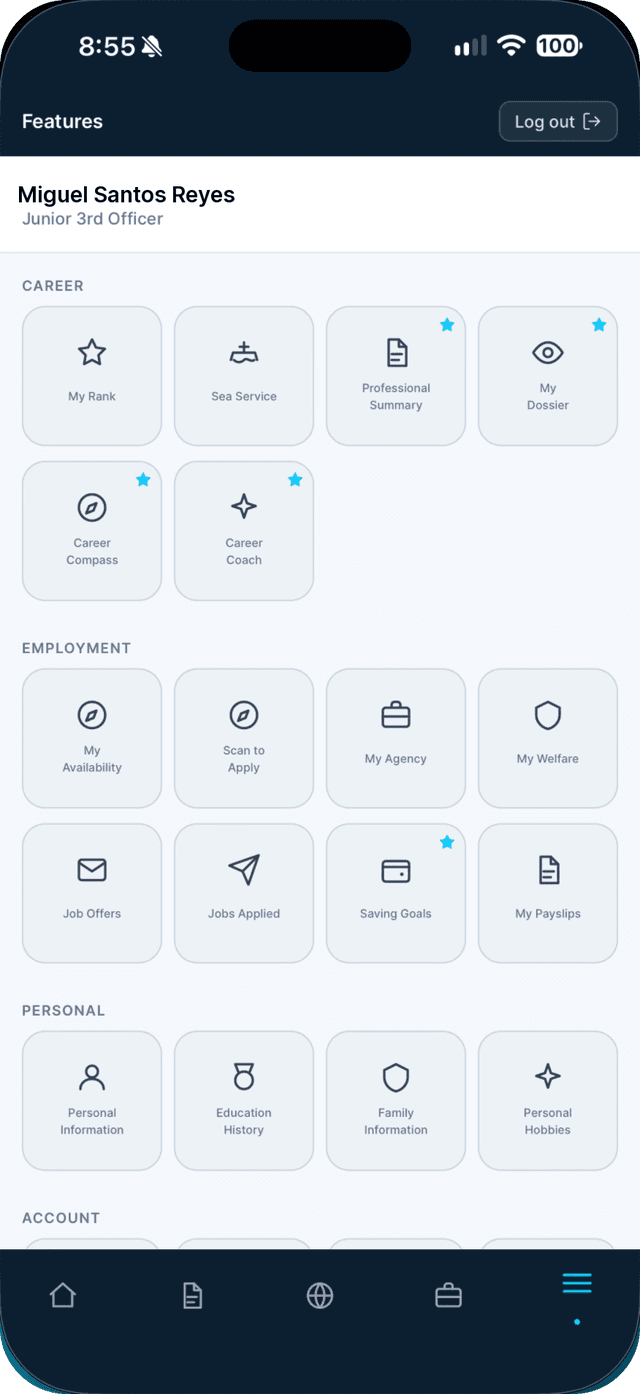
- 2
Describe the incident and attach evidence.
Pick the category that fits, give it a short title, and say when and where on board it happened. Attach photos, a medical log, payslip or contract — up to 5 files, 10 MB each.
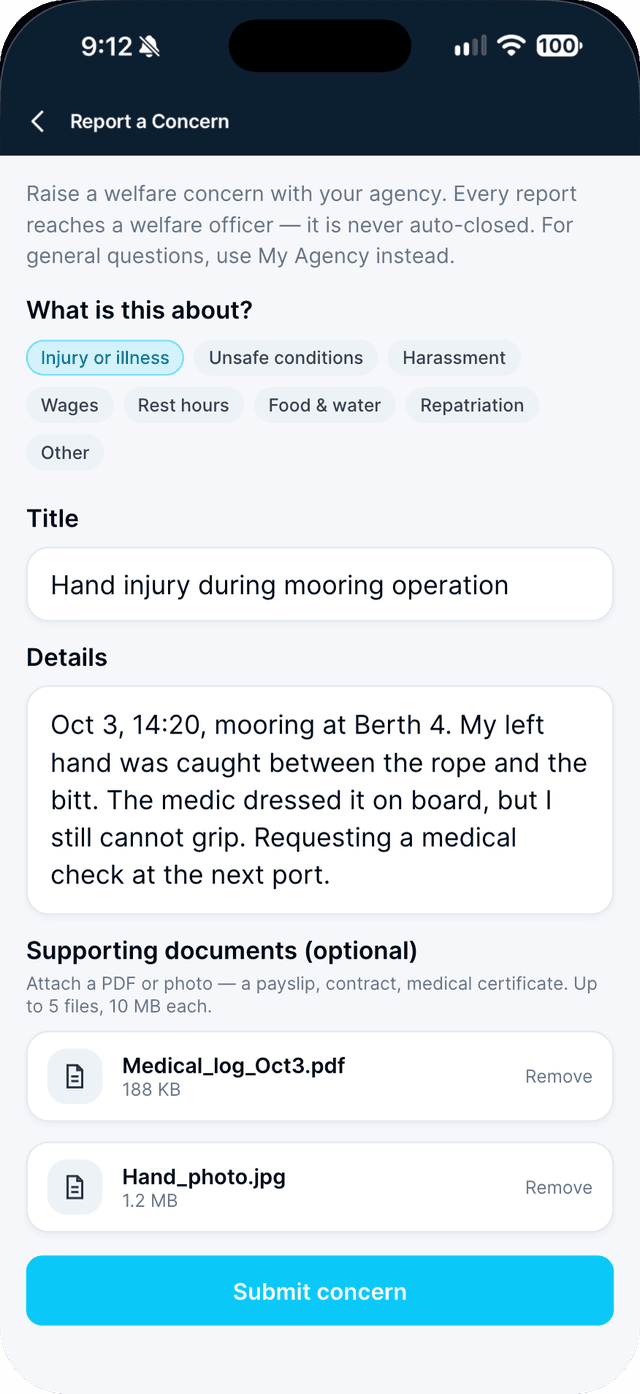
- 3
Tap Submit concern and follow it in My Cases.
You get a case number. The category sets the case's priority, so you never have to.
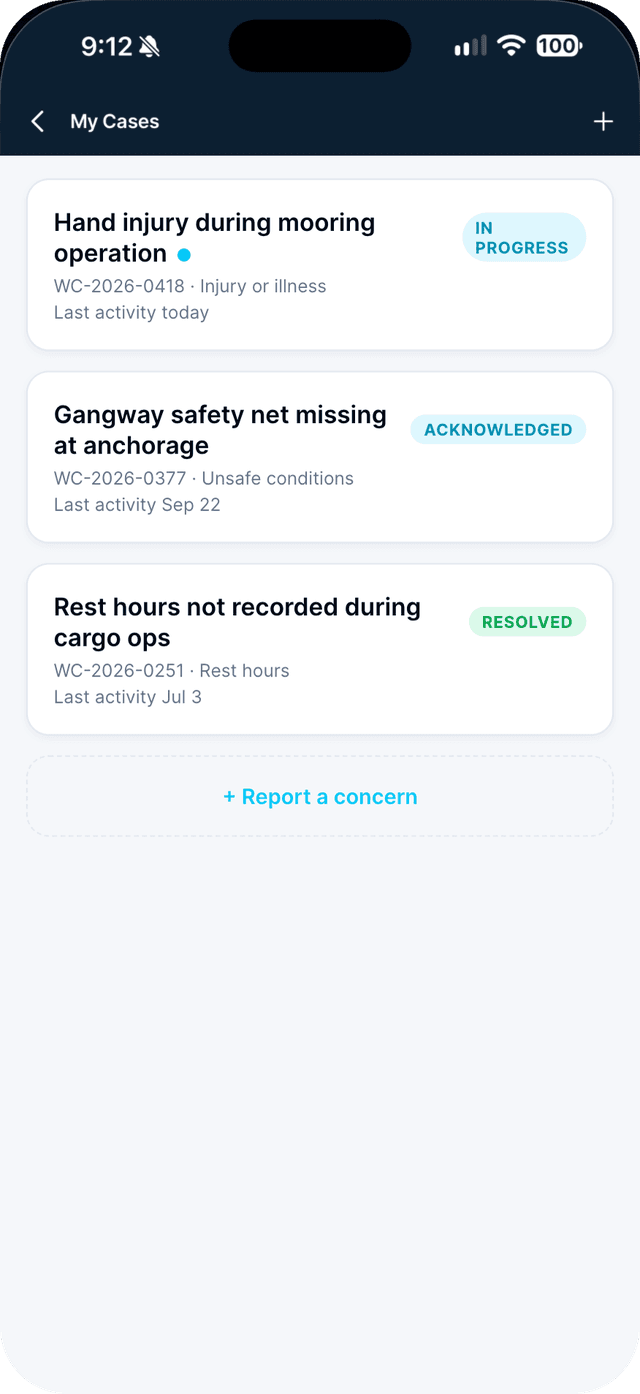
- 4
Read the welfare officer's replies.
Every reply and status change appears in the case. Reply or attach more documents any time.
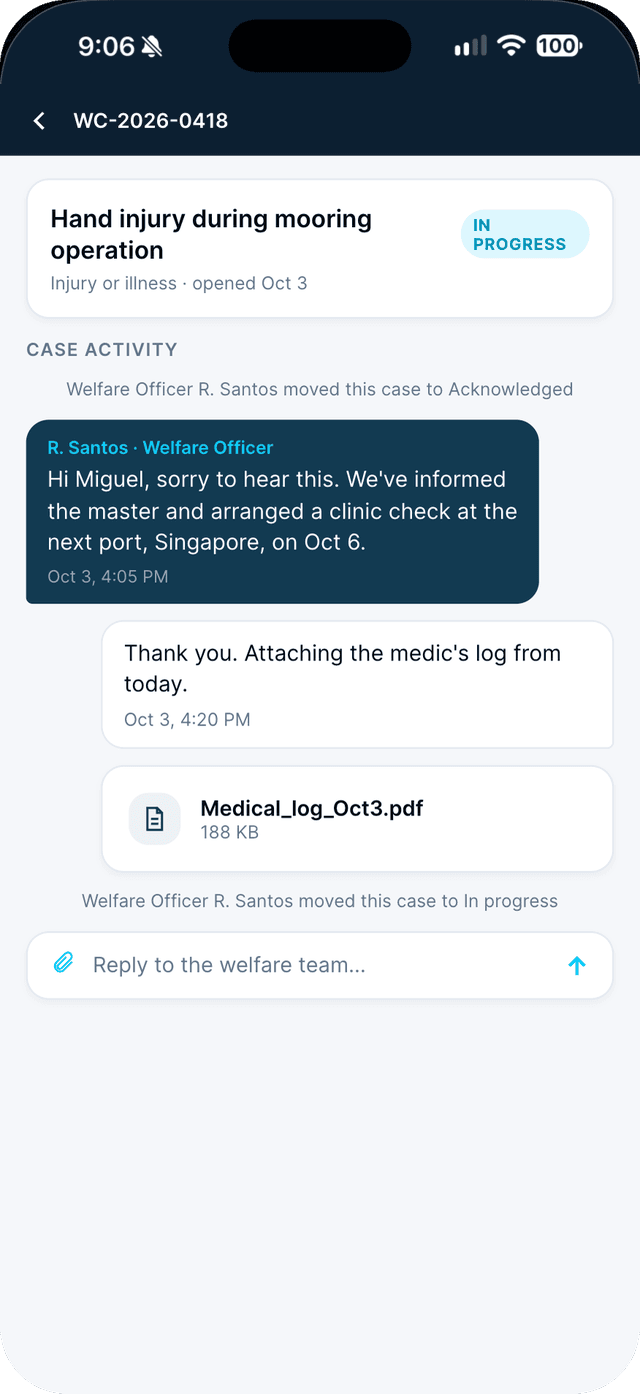
Swipe to see every step →
Tip: Reports are linked to your account so the welfare officer can help you. If you want to stay anonymous, rate your agency or vessel instead.
More guides
Part of Your voice