FreeGetting started· 1 min
Your agency already has your records: connect them
If an agency prepared a Seafarr profile for you, the wizard finds it after you enter your name and birthday.
- 1
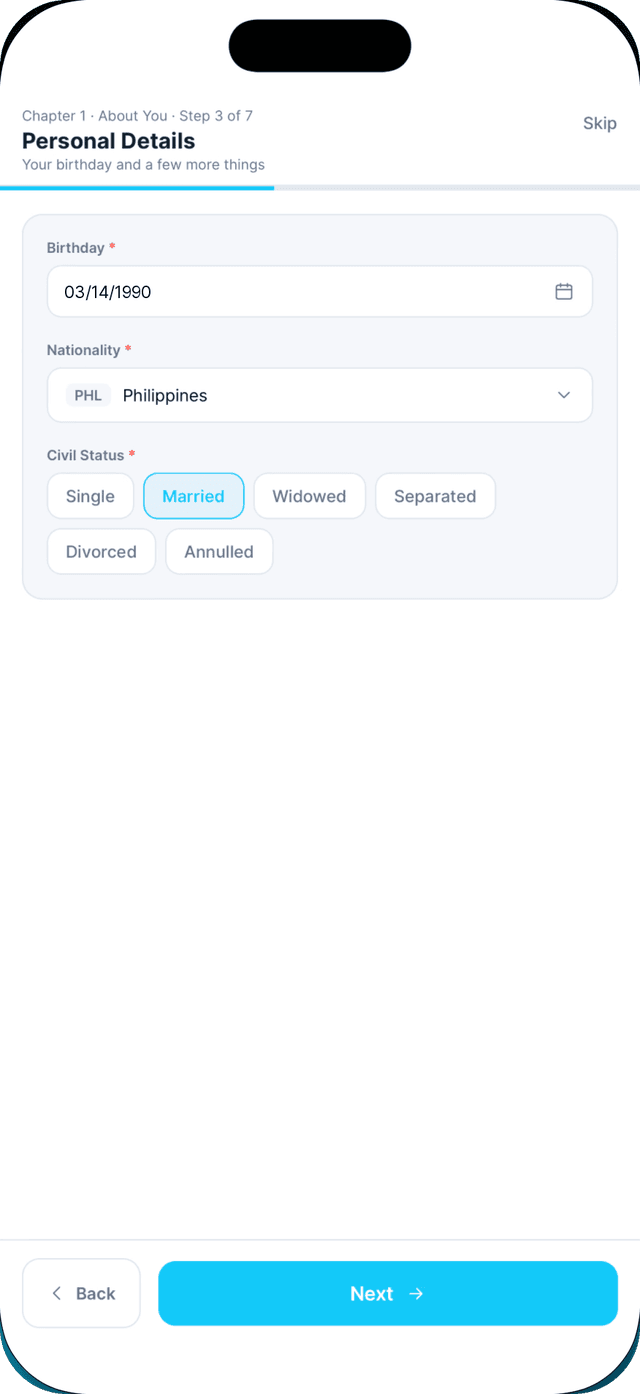
Complete the Personal details step of the profile wizard.
Your name and birthday are how Seafarr finds a profile your agency prepared.
- 2
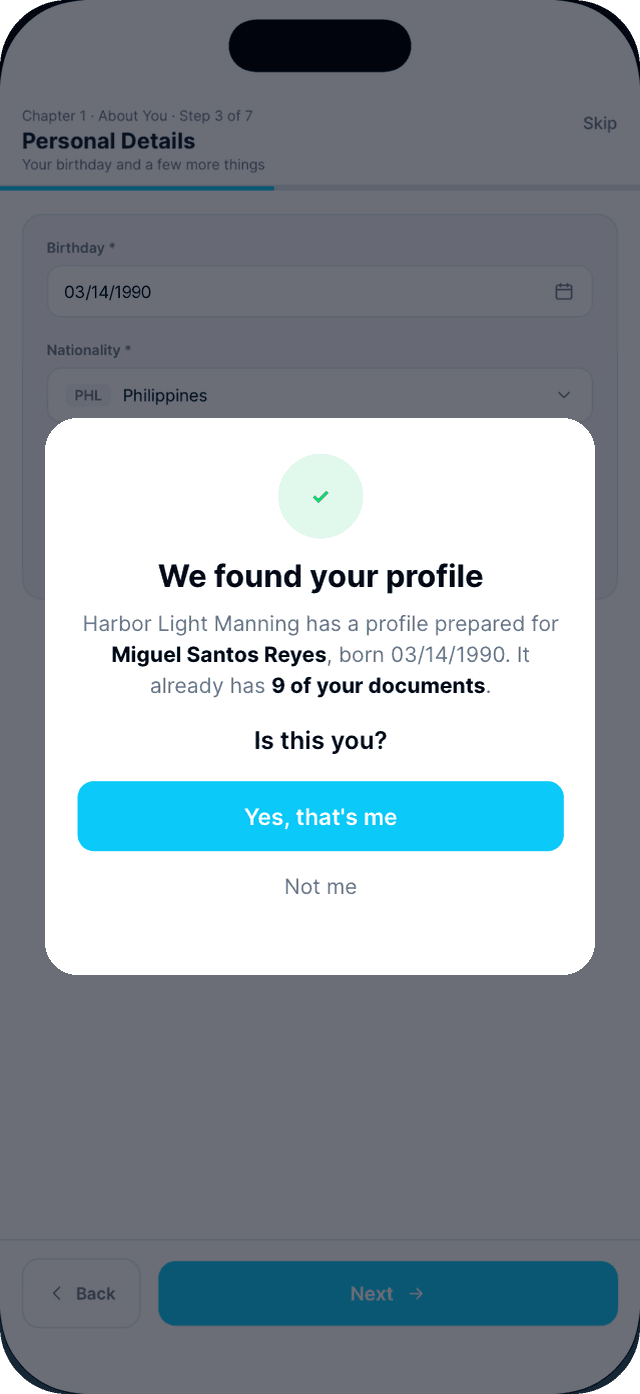
Read "We found your profile" and tap Yes, that's me.
It names the agency and how many of your documents it already holds.
- 3
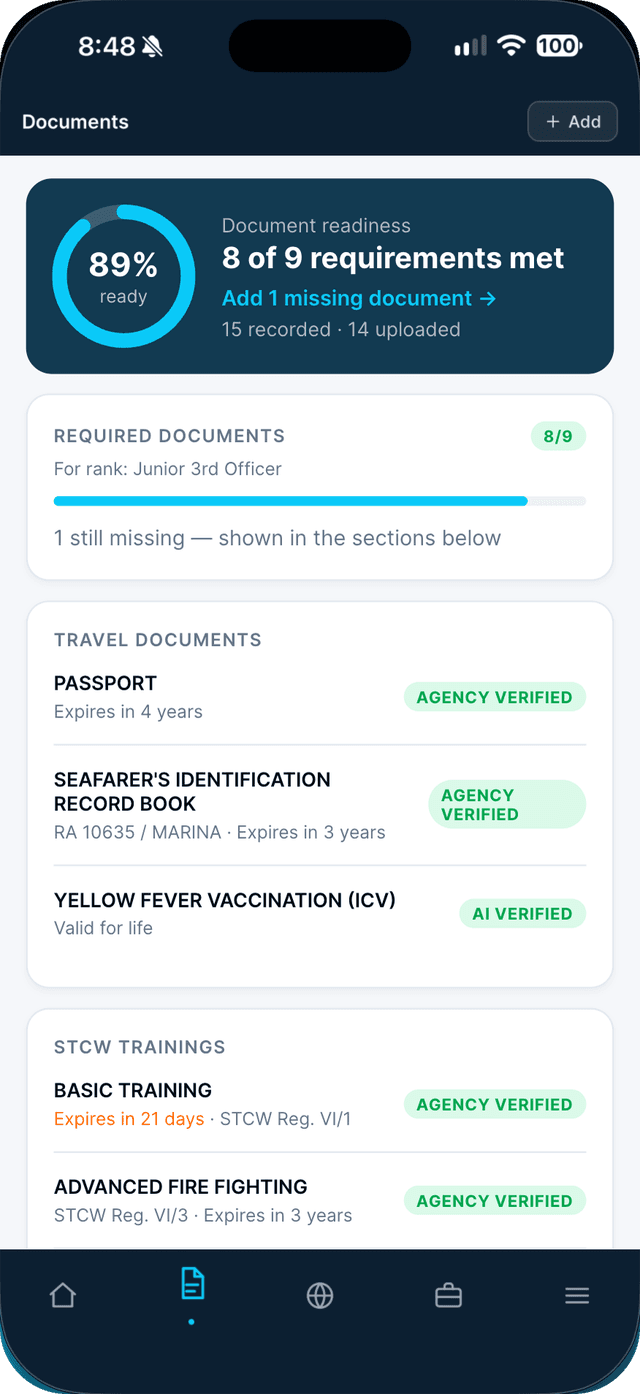
Your records are in.
Your documents and records from the agency now appear in Documents. You will see "Profile connected".
Swipe to see every step →