ProMoney and home· 1 min
Set a savings goal
Track what you are saving for, like a house or your children's education.
- 1
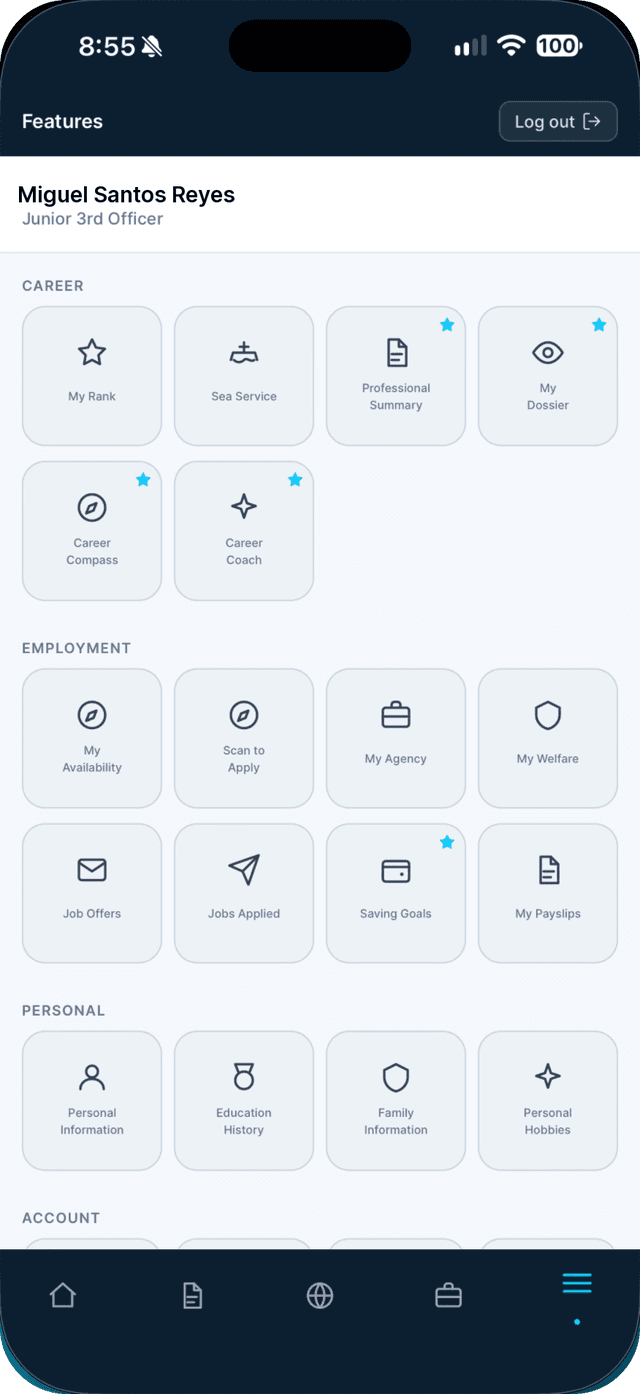
Open the Profile tab and tap Saving Goals.
- 2
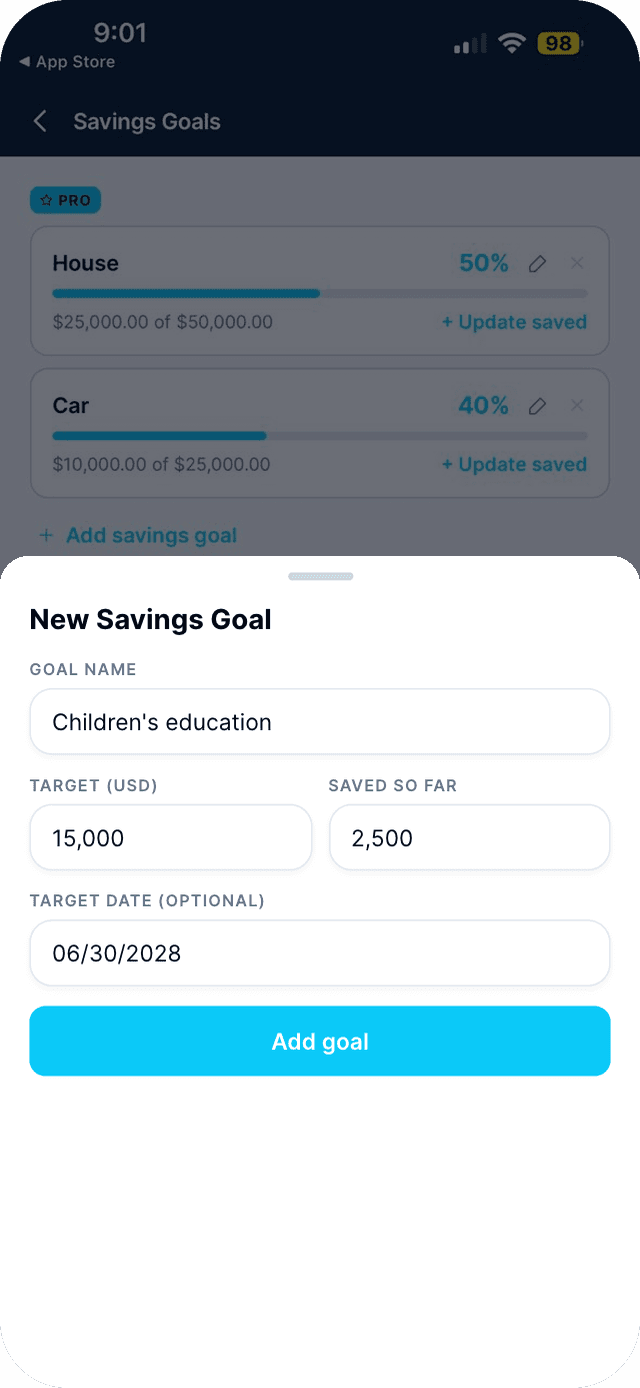
Tap Add savings goal.
Name it, set a target in USD, what you have saved so far, and an optional target date.
- 3
Tap + Update saved whenever you put more aside.

Swipe to see every step →
This is a Seafarr Pro feature.
New to Seafarr? Your first 30 days of Pro are free, with no card needed.
Unlock ProMore guides
Part of Money and home