FreeGet hired· 1 min
Apply to a job in one tap
Find a position on the job board and apply. Then follow it stage by stage.
- 1
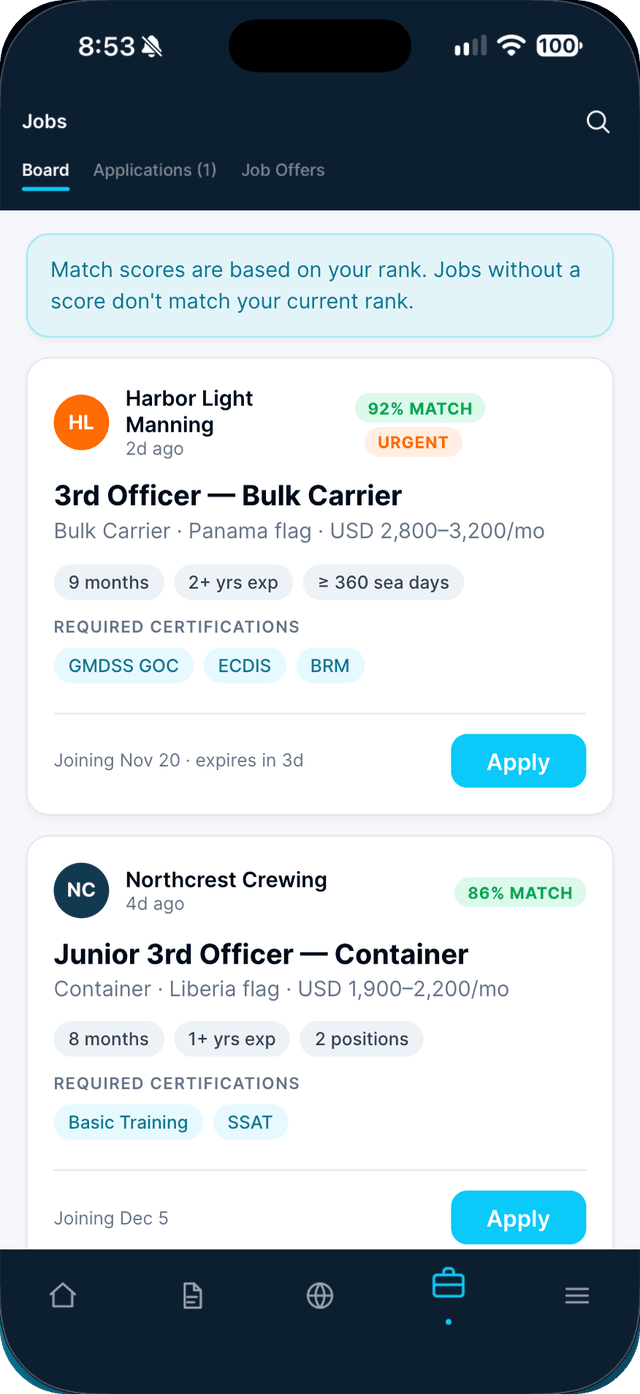
Open the Jobs tab, then Board.
Check the match score and required certifications on each card. Tap the search icon to search by rank, vessel or agency.
- 2
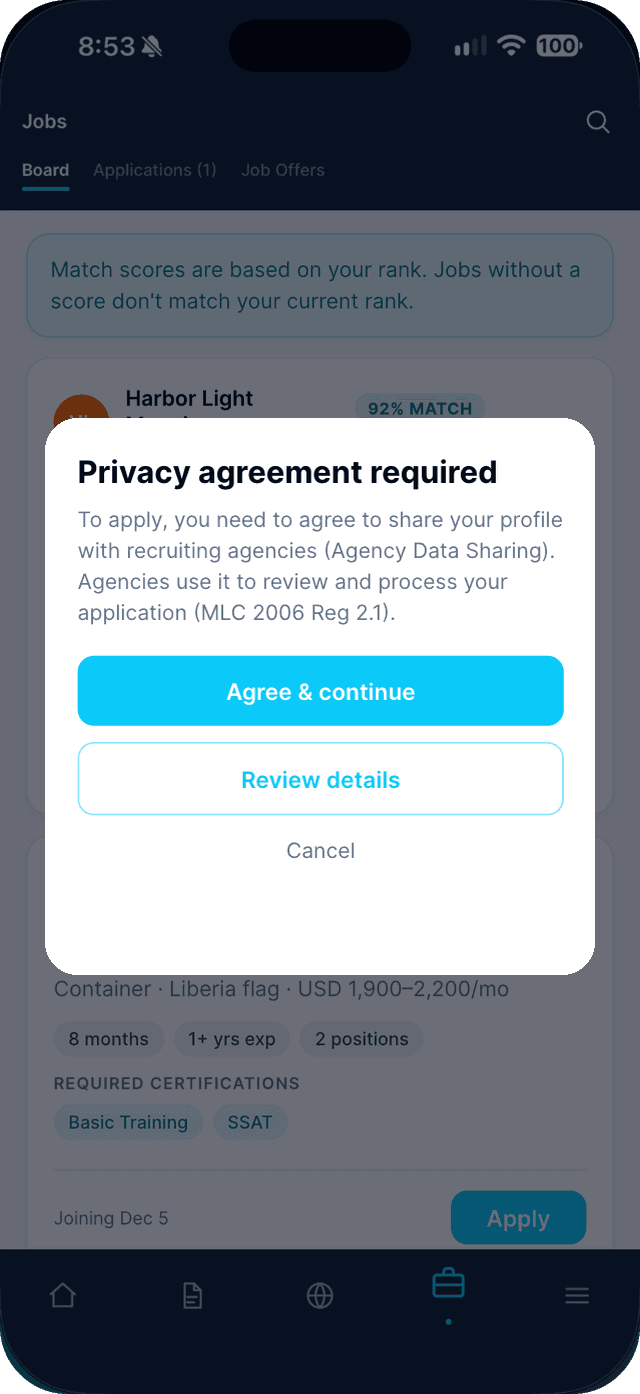
Tap Apply.
The first time, agree to share your profile with recruiting agencies — that is how they review your application.
- 3
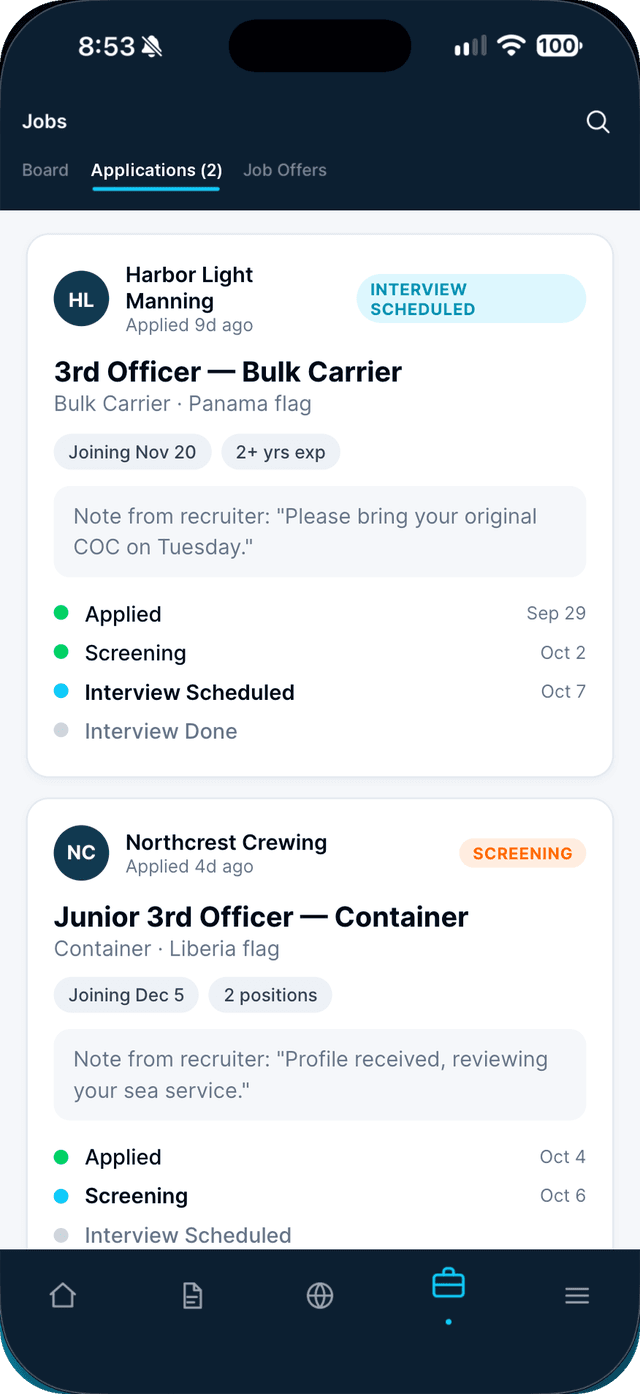
Follow it in the Applications tab.
Each card shows the current stage and any note from the recruiter.
- 4
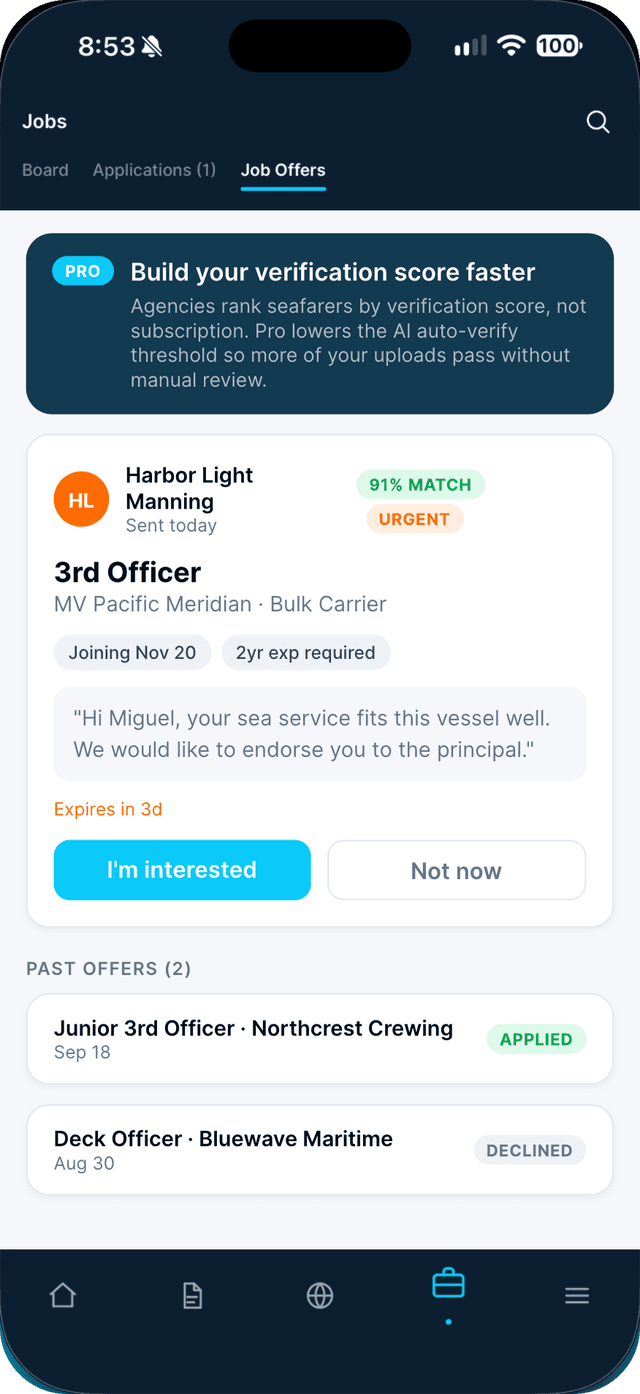
Check Job Offers too.
Agencies can invite you to a position. Tap I'm interested to apply, or Not now.
Swipe to see every step →
Tip: If your readiness is below 80%, Seafarr shows exactly which documents to add first.
More guides
- Apply at a walk-in desk with Scan to Apply →
- Mark yourself available as a free agent →
- Send your application to any agency →
Part of Get hired