Free · ProGet hired· 2 min
Send your application to any agency
Email a professional profile kit to any agency, even one not on Seafarr. 3 a month on Basic, 20 on Pro.
- 1
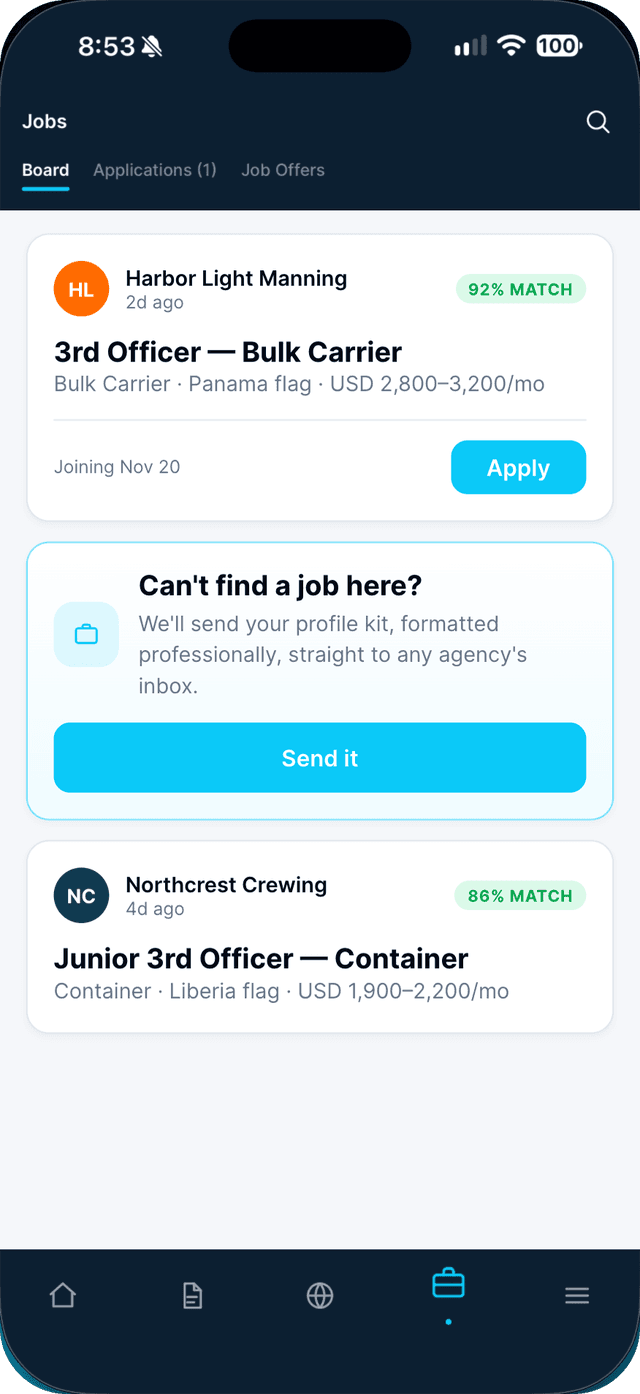
In Jobs, find the card "Can't find a job here?" and tap Send it.
- 2
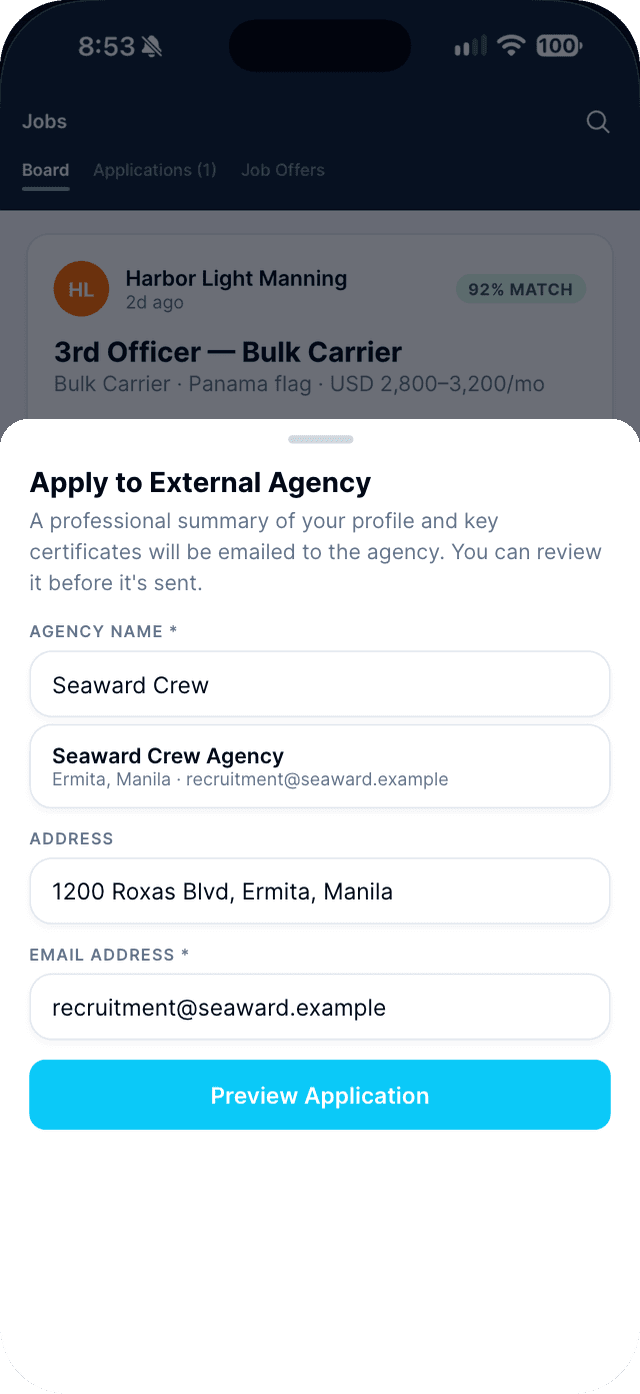
Type the agency's name.
Pick it from the list to fill in its address and email, or type them yourself. Then tap Preview Application.
- 3
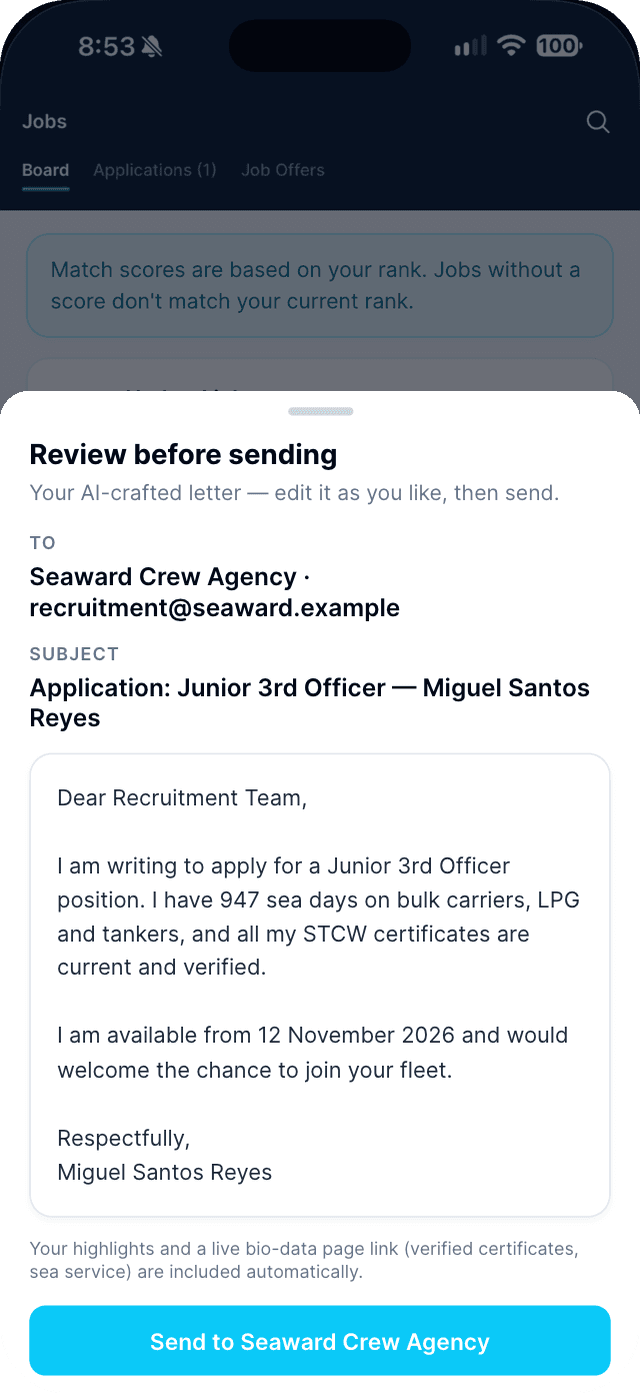
Review the letter and tap Send to the agency.
With Pro, the letter is written for you by AI and you can edit it. Replies go straight to your own email inbox.
Swipe to see every step →
Tip: You can send to the same agency again after 7 days.
More guides
- Apply to a job in one tap →
- Apply at a walk-in desk with Scan to Apply →
- Mark yourself available as a free agent →
Part of Get hired