FreeGet hired· 1 min
Mark yourself available as a free agent
Let agencies know you are open to new contracts. Agencies only find seafarers who are available.
- 1
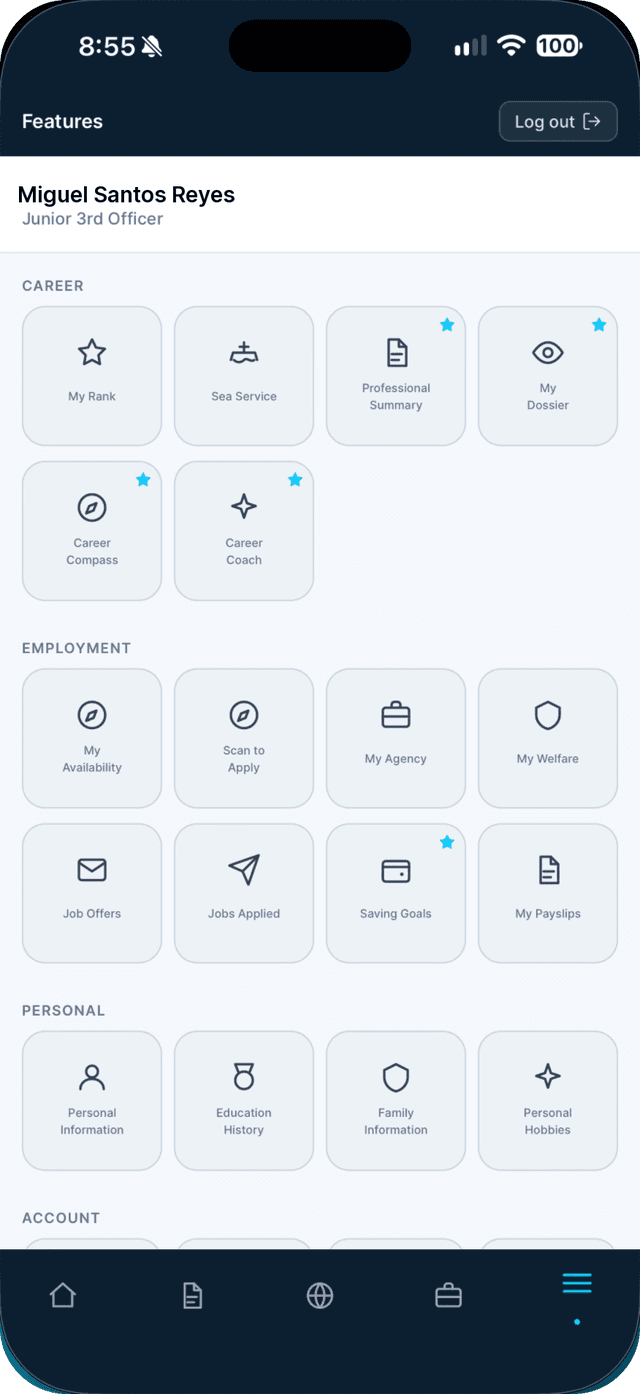
Open the Profile tab and tap My Availability.
- 2
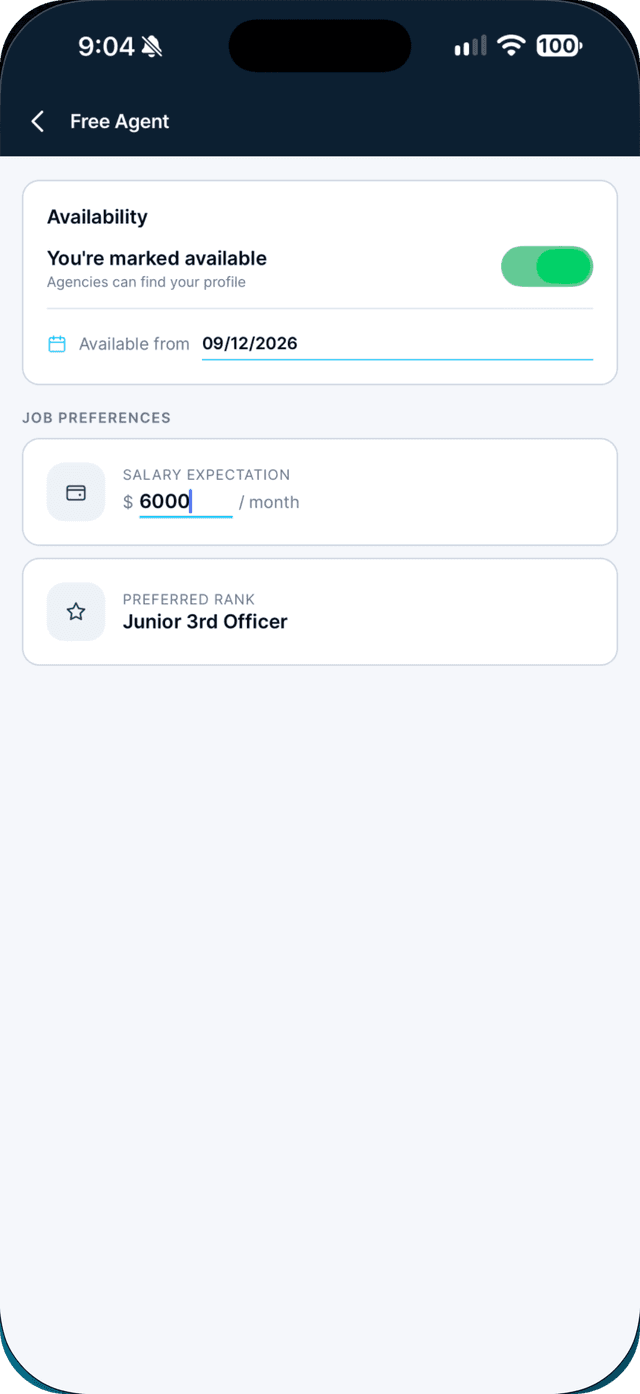
Turn on Mark yourself available, and set your date and salary.
Set Available from and your Salary expectation. Changes save automatically.
Swipe to see every step →
Tip: While you are deployed this stays locked, and opens again after sign-off (MLC 2006 Reg 2.1).
More guides
- Apply to a job in one tap →
- Apply at a walk-in desk with Scan to Apply →
- Send your application to any agency →
Part of Get hired