ProBe ready to sail· 1 min
Let AI fill in your document details
With Pro, AI reads the document you upload and fills the form: number, issuing authority, issue and expiry dates.
- 1
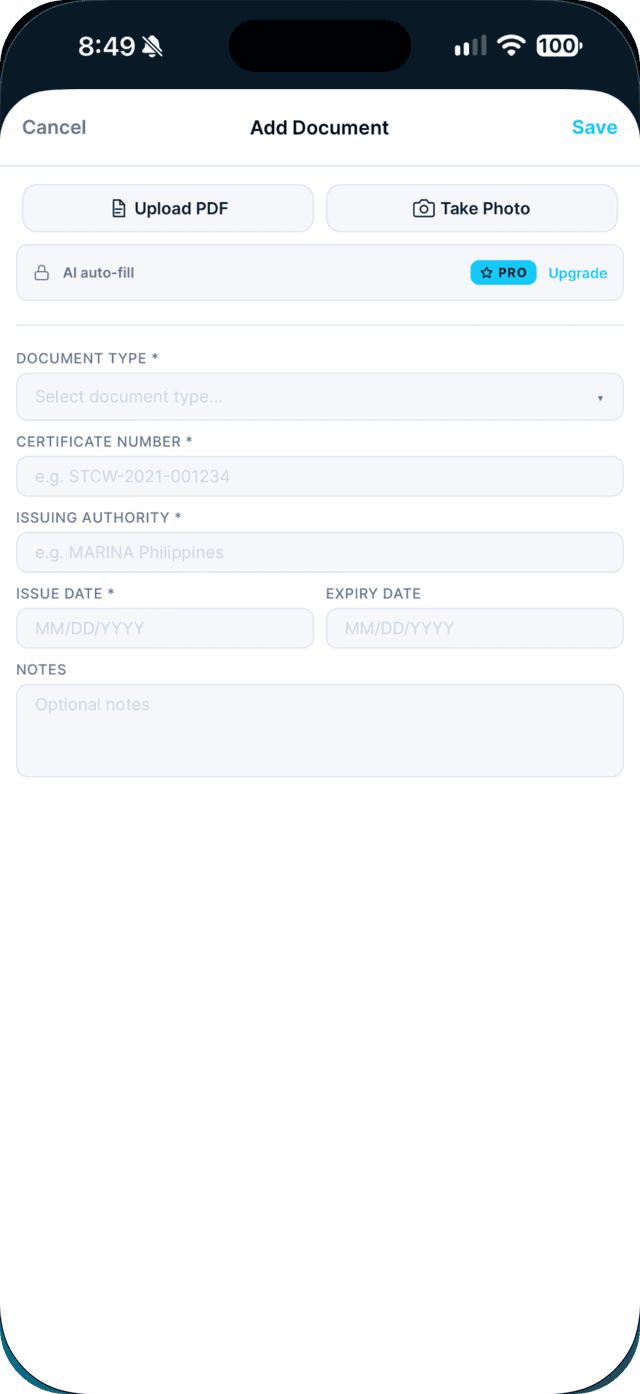
In Documents, tap Add, then scan or upload your document.
- 2
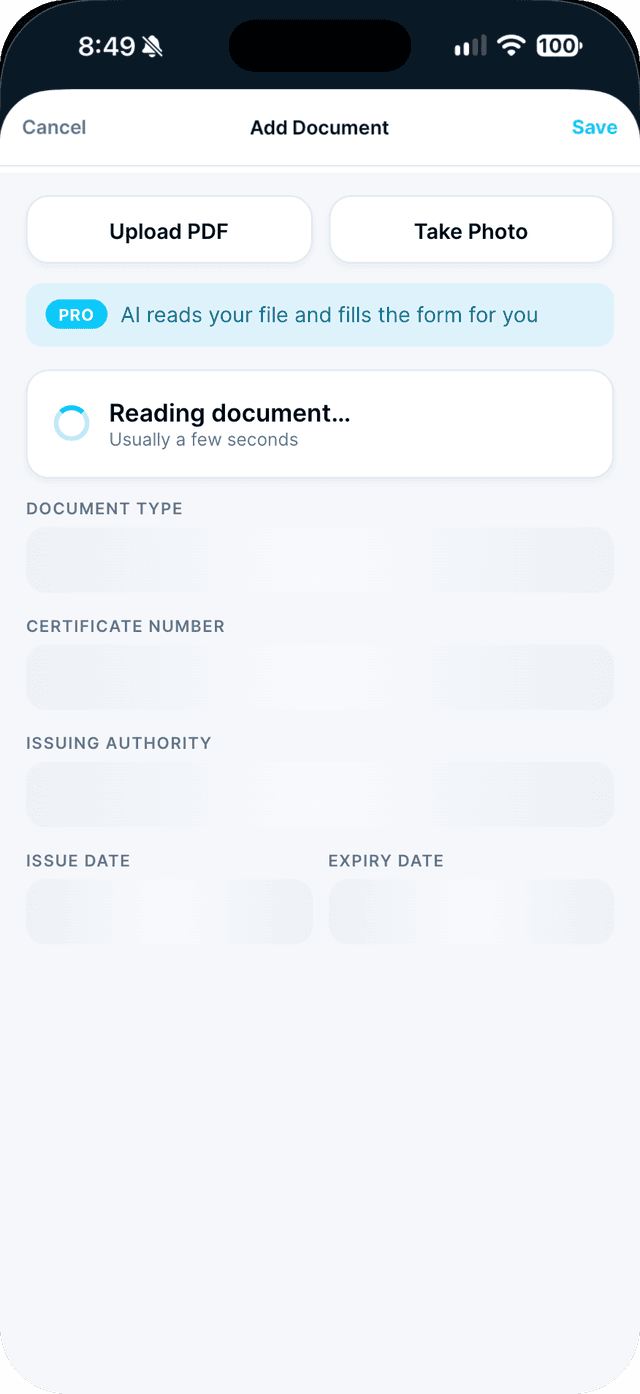
Wait a few seconds while it shows "Reading document…".
- 3
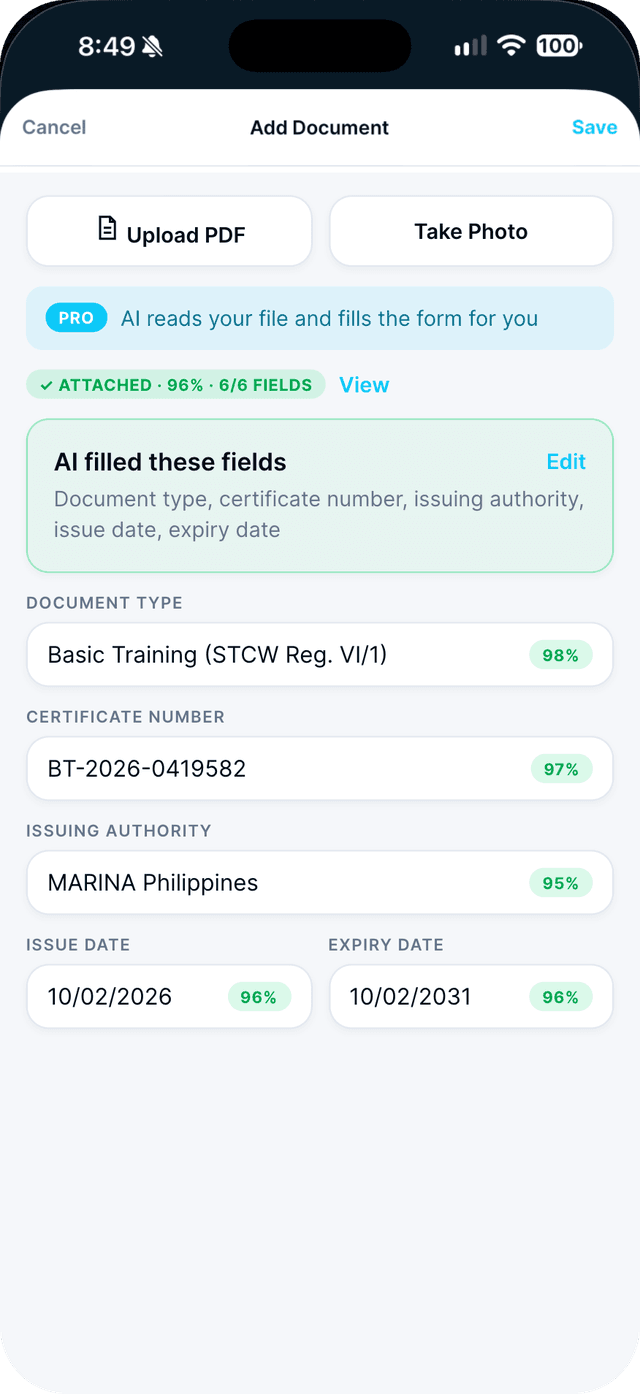
Check the fields AI filled, then tap Save.
Anything AI was less sure about is highlighted for you to review. If the name on the document does not match your profile, Seafarr warns you before saving.
Swipe to see every step →
This is a Seafarr Pro feature.
New to Seafarr? Your first 30 days of Pro are free, with no card needed.
Unlock Pro