FreeBe ready to sail· 2 min
Scan a multi-page certificate into one PDF
Use your phone's camera to capture every page. Seafarr merges them into one PDF.
- 1
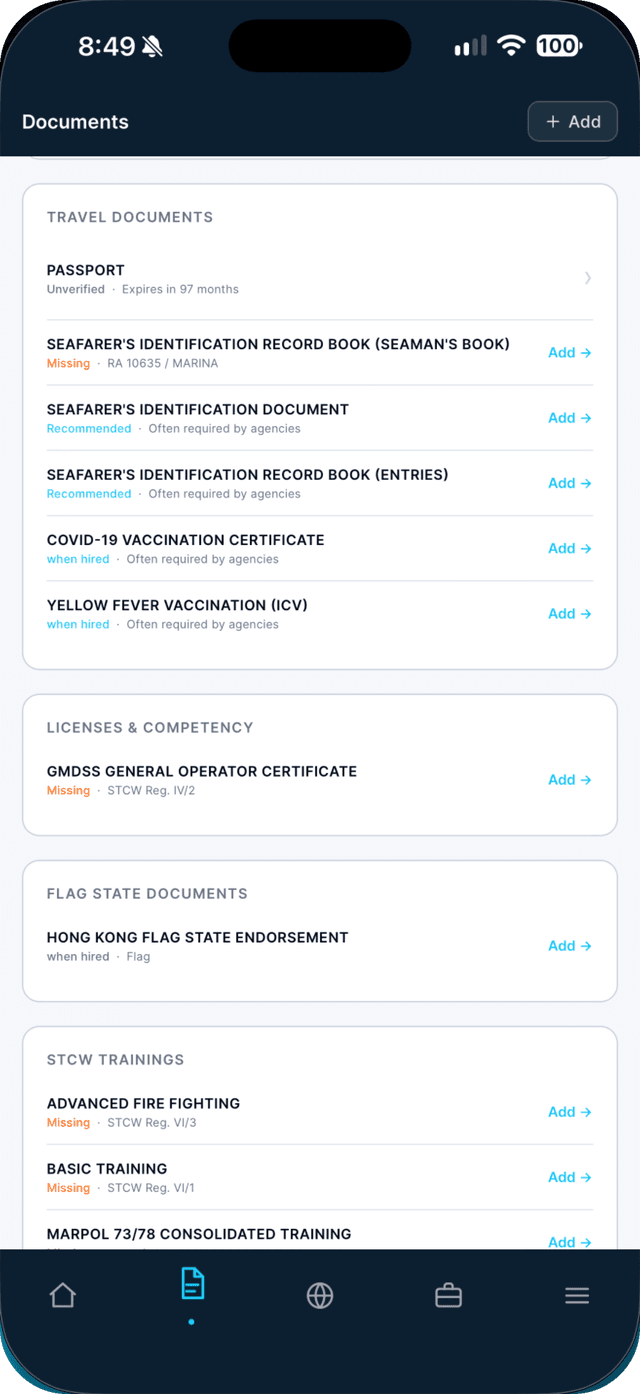
Open the Documents tab and tap Add.
Or tap a document marked Missing — the form opens already set to that type.
- 2
Tap Take Photo and photograph the first page.
Have the document as a PDF already? Tap Upload PDF instead.

- 3
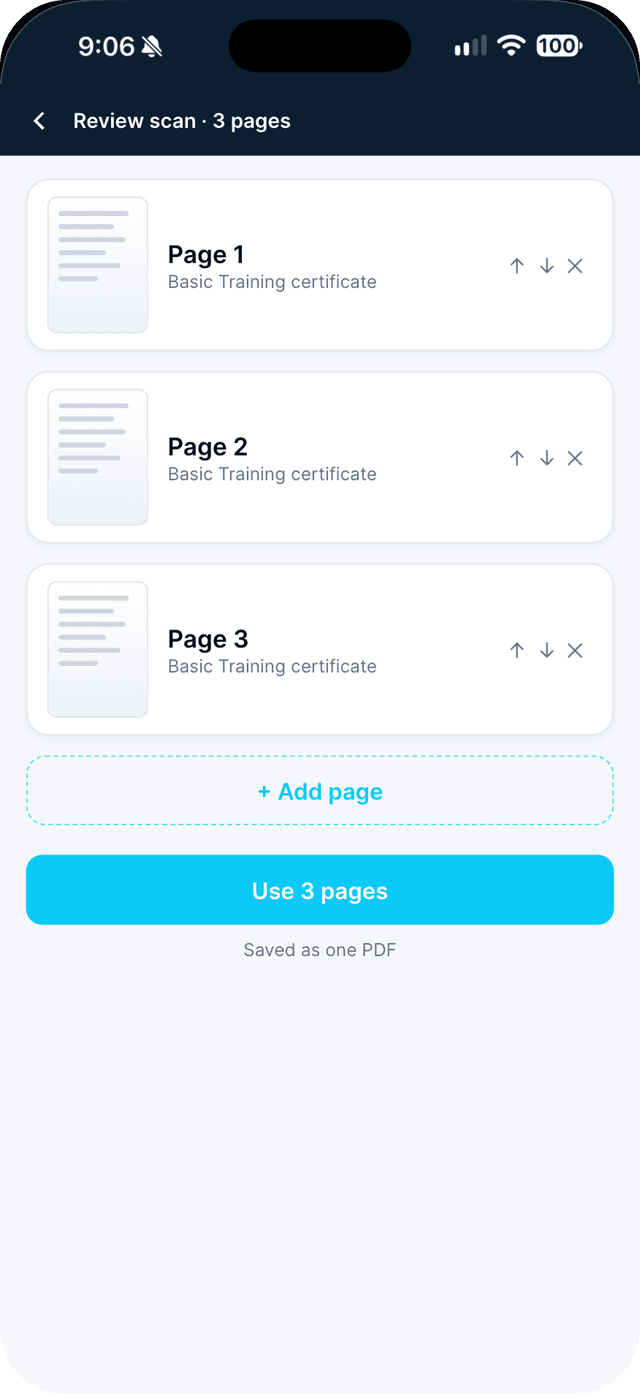
Add every page, then tap Use pages.
Tap Add page for each further page. Use the arrows to reorder pages, or remove one you want to retake. Seafarr merges them into one PDF, up to 10 MB.
- 4
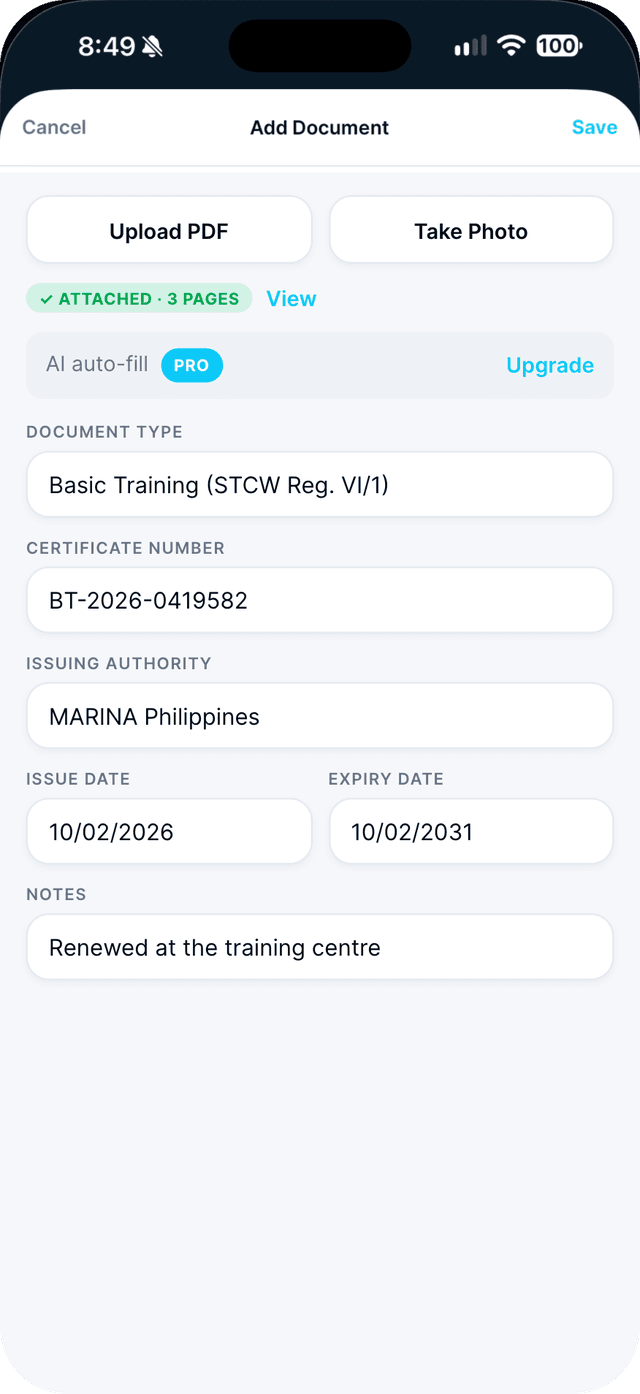
Fill in the details and tap Save.
Choose the document type, then the number, issuer and dates.
Swipe to see every step →