FreeBe ready to sail· 2 min
Read your readiness score and close the gaps
Your readiness ring shows how close you are to being deployment-ready for your rank.
- 1
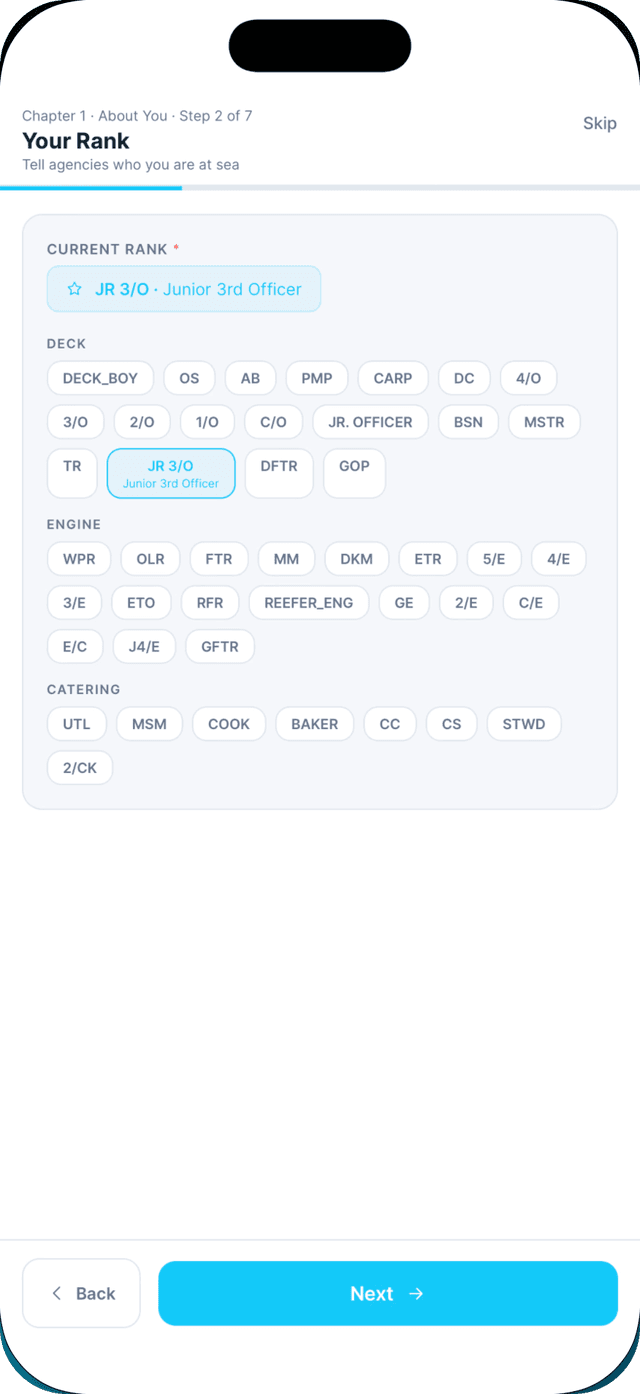
Make sure your rank is set.
Without a rank, Seafarr cannot know which documents you need. Tap Set rank now on Home if asked.
- 2
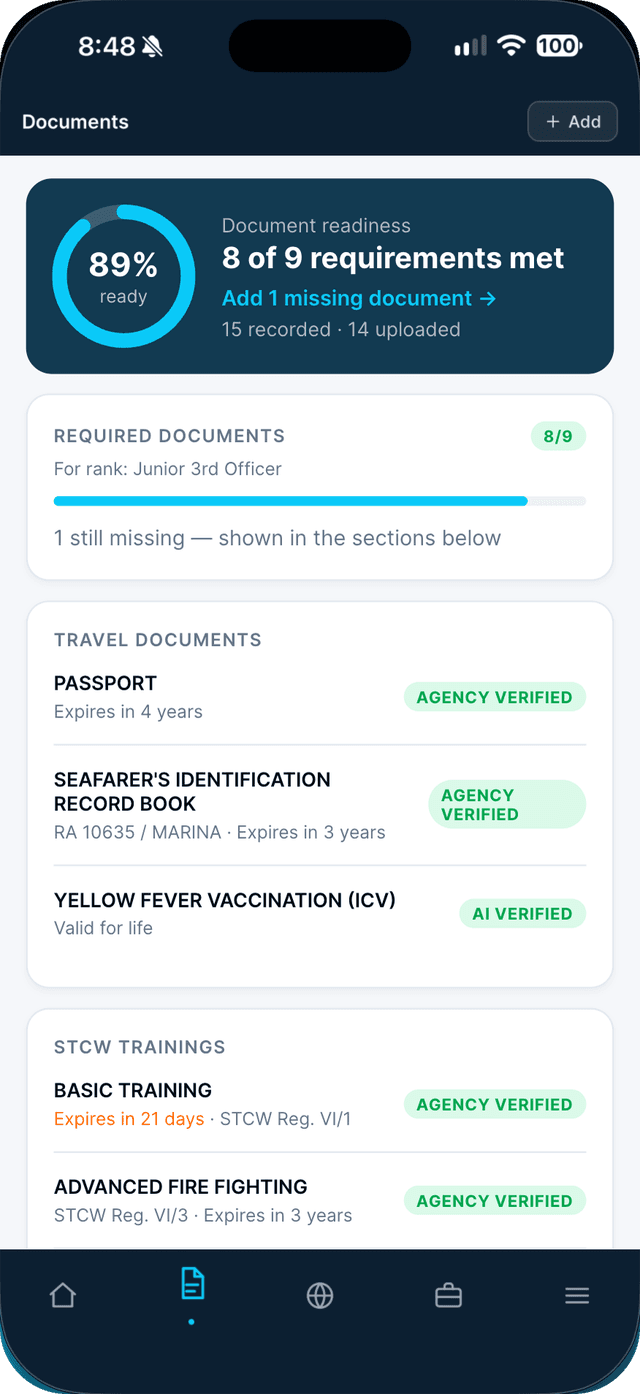
Open the Documents tab and read your score.
The ring shows your readiness and "X of Y requirements met". Required Documents shows what is required now, and what to prepare once you are hired.
- 3
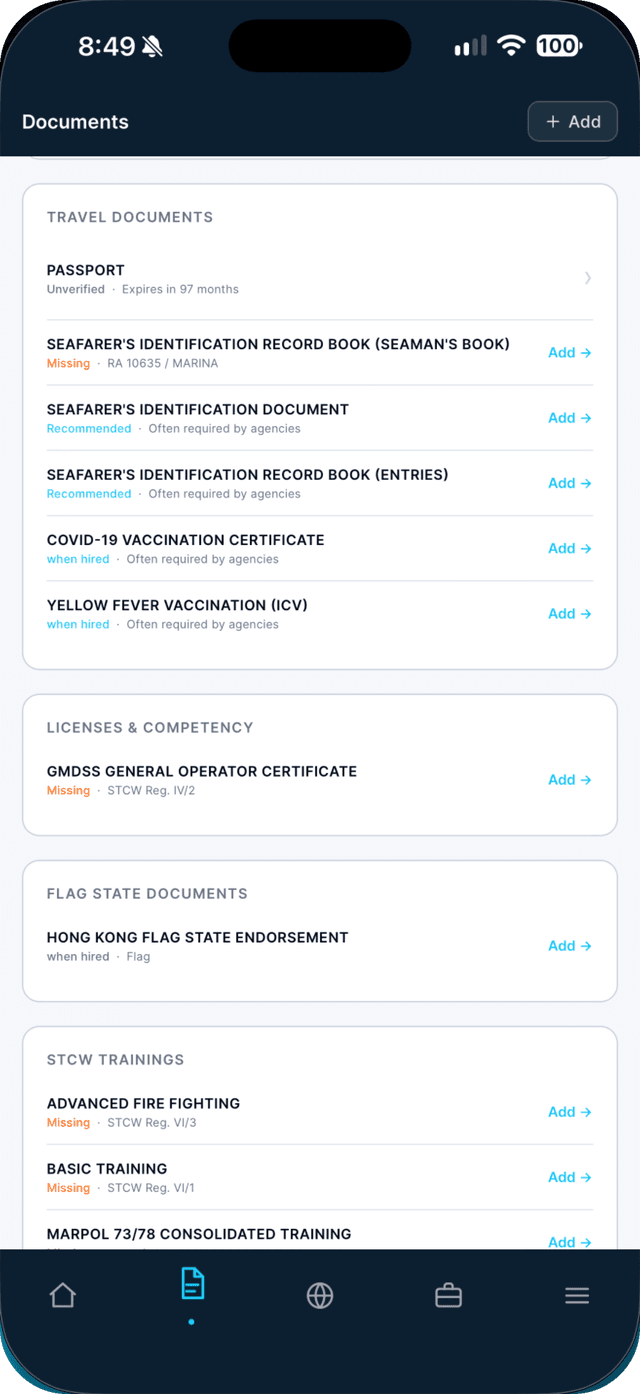
Tap any row marked Missing, then Add.
The form opens already set to that document type.
Swipe to see every step →
Tip: You need at least 80% readiness to apply to jobs, so agencies receive complete applications.
More guides
- Scan a multi-page certificate into one PDF →
- Renew an expiring certificate →
- Let AI fill in your document details →
Part of Be ready to sail