FreeBe ready to sail· 2 min
Renew an expiring certificate
Documents turn orange 90 days before expiry and red at 14 days. Update them when you have the renewed copy.
- 1
On Home, check Document Watch for anything expiring soon.

- 2
In Documents, tap the expiring document, then Edit.
Documents turn orange 90 days before expiry and red at 14 days.
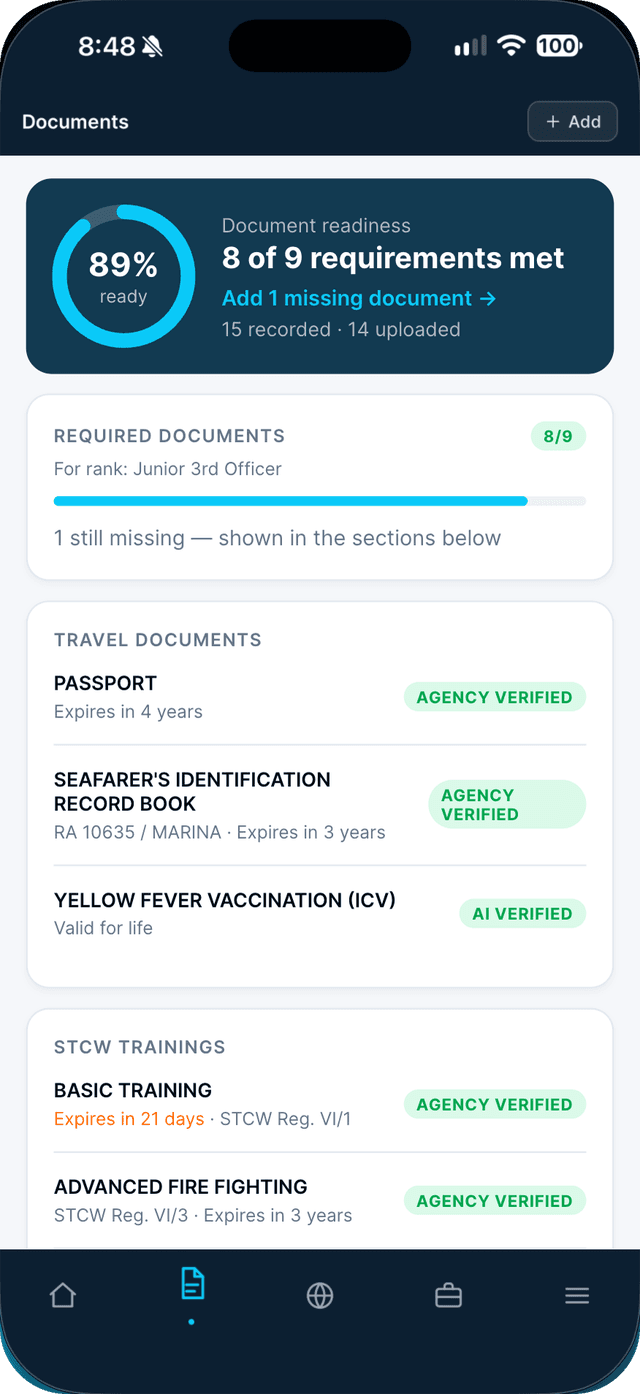
- 3
Upload the renewed copy, update the expiry date, and tap Save.
Verified documents keep their old copy on record; the new one is checked again.
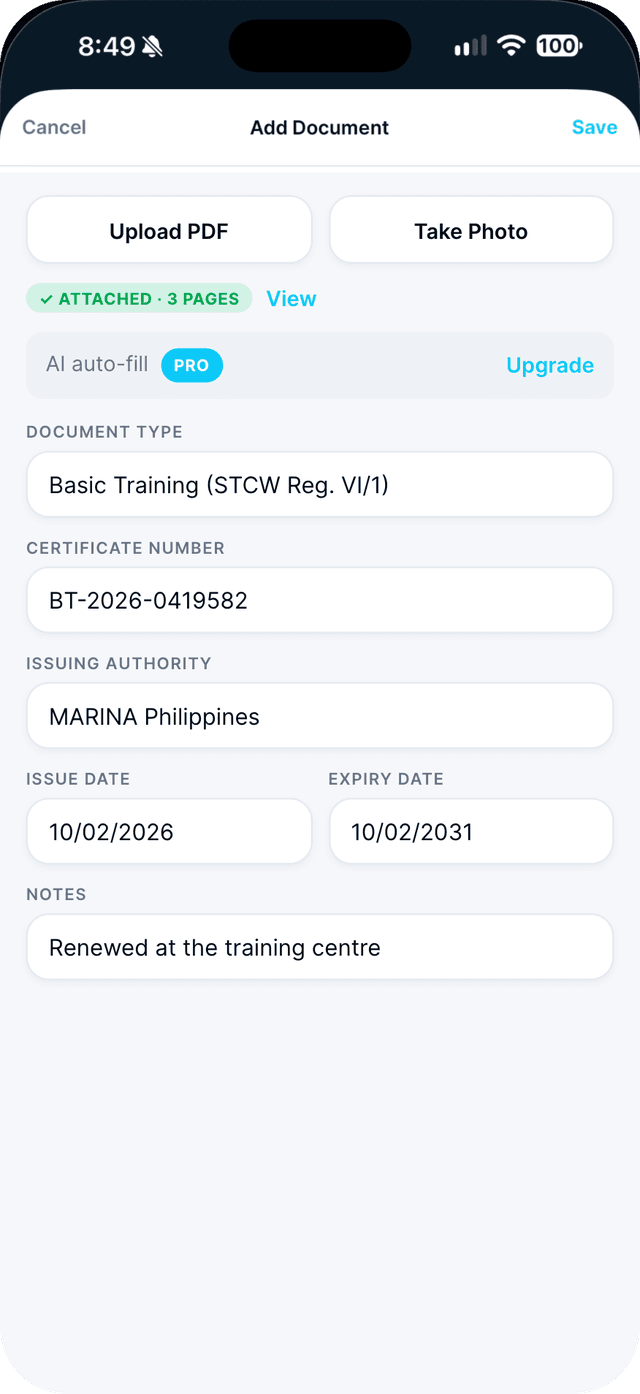
Swipe to see every step →
Tip: Under contract? You can still renew anything expiring within 90 days.
More guides
- Scan a multi-page certificate into one PDF →
- Read your readiness score and close the gaps →
- Let AI fill in your document details →
Part of Be ready to sail